Canberra Script 2023.12 (June 2023)
New in Canberra Script
The Canberra Script update will include the following new features:
-
My Correspondence – Displays a count of unread correspondence letters. See Correspondence for details.
-
My Approvals – The approvals page will now have a default filter that will display an individual practitioner’s own CHO approvals, instead of the current display that defaults to show CHO approvals for all practitioners in the medical practice. See View your CHO approvals for details.
-
Online Chief Health Officer (CHO) approval applications will now include details on mandatory fields to complete. See Mandatory fields for CHO approvals for details.
What to do if you are experiencing login issues?
If you experience any issues logging into Canberra Script, you will need to perform a hard refresh of the browser as you may not have the latest updates.
 For Windows – Chrome
-
Navigate to the login screen of Canberra Script login screen via https://hp.canberrascript.act.gov.au/.
-
Press the F12 key.
A Dev Tools window opens on the right.
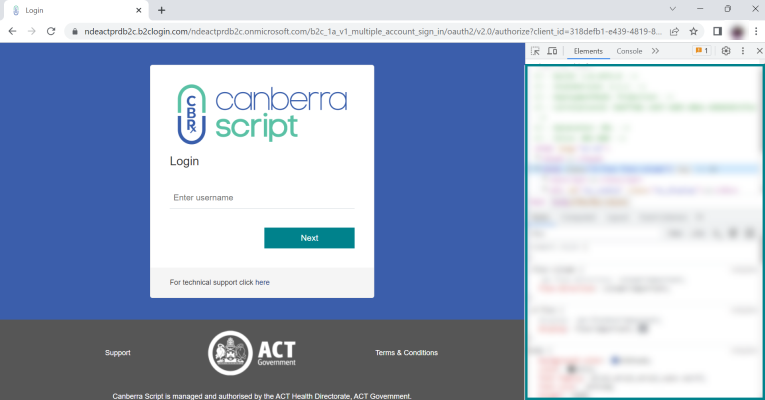
You won't need to use the Dev Tools window, but having it open enables you to carry out the following steps.
-
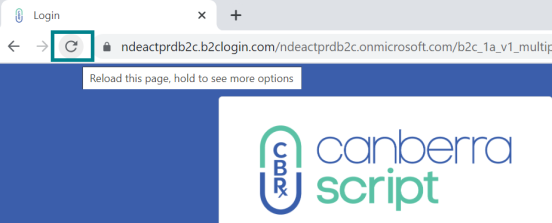
Click the Reload icon on the left of the address bar.
-
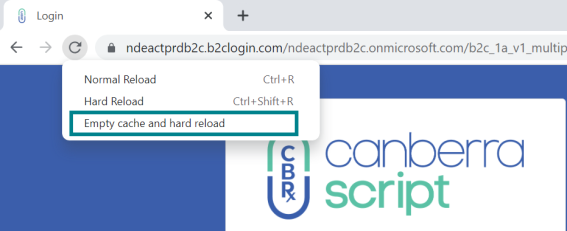
Right click the Reload icon and select Empty cache and hard reload.
-
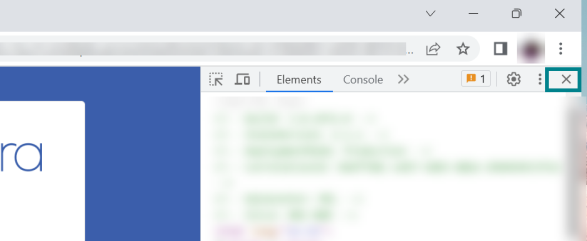
Click the cross on the right to close the Dev Tools window.
For Windows – Edge
-
Navigate to the login screen of Canberra Script login screen via https://hp.canberrascript.act.gov.au/.
-
Press the F12 key.
A Dev Tools window opens on the right.
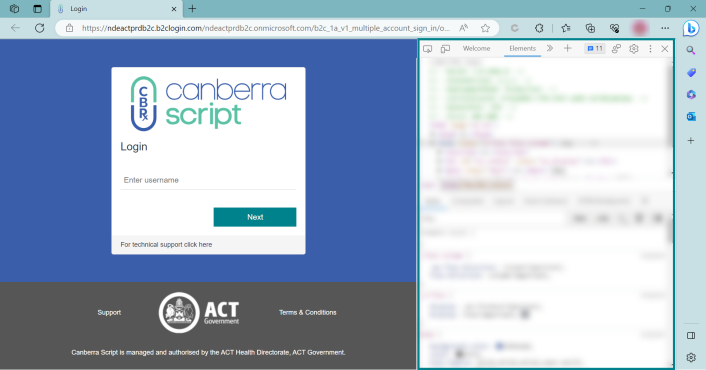
You won't need to use the Dev Tools window, but having it open enables you to carry out the following steps.
-
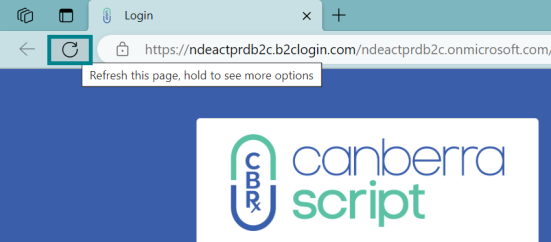
Click the Refresh icon on the left of the address bar.
-
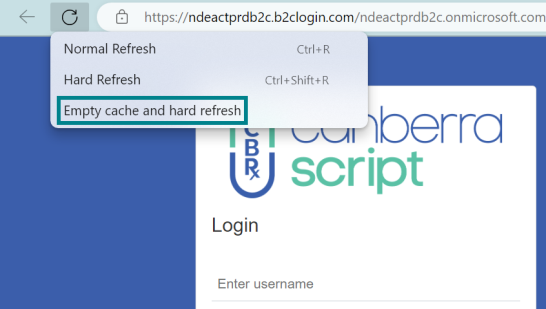
Right click the Refresh icon and select Empty cache and hard refresh.
-
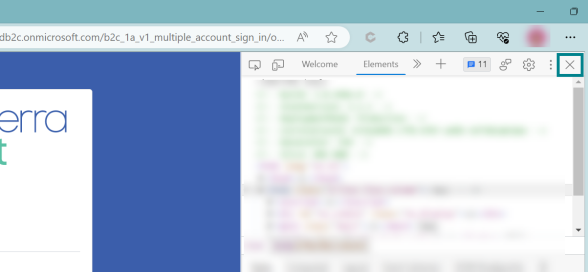
Click the cross on the right to close the Dev Tools window.
For Windows – Firefox
-
Navigate to the login screen of Canberra Script portal via https://hp.canberrascript.act.gov.au/.
-
Once the login page is loaded, select ‘Ctrl+F5’ keys.
The page will re-load after the hard refresh.
-
Proceed with login steps.
For Mac – Chrome/Firefox
-
Navigate to the login screen of Canberra Script portal via https://hp.canberrascript.act.gov.au/.
-
Once the login page is loaded, select ‘Command+Shift+R’ keys.
The page will re-load after the hard refresh.
-
Proceed with login steps.
For Mac – Safari
-
Navigate to the login screen of Canberra Script portal via https://hp.canberrascript.act.gov.au/.
-
Once the login page is loaded, select ‘Command+Shift+R’ keys.
The page will re-load after the hard refresh.
-
Proceed with login steps.
Where do I get help?
If you continue to have issues, please contact the Canberra Script technical support team on 1800 776 633 or at [email protected].